
Cortex | Administration | Default Thumbnails
Manage default thumbnails (Administration)
 Only users who are set up as administrators in Cortex have access to this feature.
Use the Default thumbnails page in the administration module to set up and manage the default thumbnails used for Cortex Project History projects and budgets.
When a new project or budget is created, the system will display the default thumbnail for it's type until you manually add an image for the thumbnail. You can use your own default images or download a library of project type illustrations provided by Eos.
How do I?
Open the Administration module
Click  and select Administration from the menu. The Administration module opens in a new browser tab.
Upload a default thumbnail
- In the Administration module, select Default thumbnails. You will be able to view the library of default thumbnails assigned to each type of project.
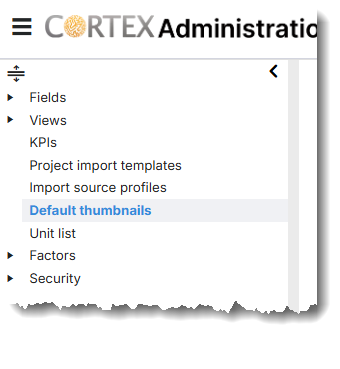
- Click on any project default image to download a replacement image.
- A file location window will open. Browse and select your image for replacement and click Open to replace the image. File size is limited to 30MB for thumbnail image downloads.
Tips for producing high-quality thumbnails
The following tips will help you obtain high-quality project and budget thumbnail images for use in Cortex:
- Cortex Project History resizes project thumbnails to 300 x 300 pixels when it displays them on the project information pane. For best results, start with an image file as close to 300 x 300 pixels as possible to avoid loss of image quality due to scaling.
- Starting with a larger image and scaling it down will yield better results than starting with a smaller image and scaling it up.
- Currently, many popular camera phones store images with a 4:3 aspect ratio and a size of 4032 x 3024 pixels (or 12M) by default. To create source images for project thumbnails, consider using a 1:1 aspect ratio and a size of 2160 x 2160 pixels (4.7M).
- If you already have large image files that you can't reproduce and the quality of the thumbnails is not satisfactory, consider using a third party image processing application to scale images down with minimum loss of quality.